Free & Open — Linux & Windows

Batch Video
Downloader.

Video Fetcher 2026 — powered by yt-dlp — lets you scrape, queue and download videos from major platforms at speed. Multi-slot parallel downloads, channel scraping and smart duplicate detection, all in one clean desktop app.

Parallel Slots
yt-dlp
Powered
Free
No Limits
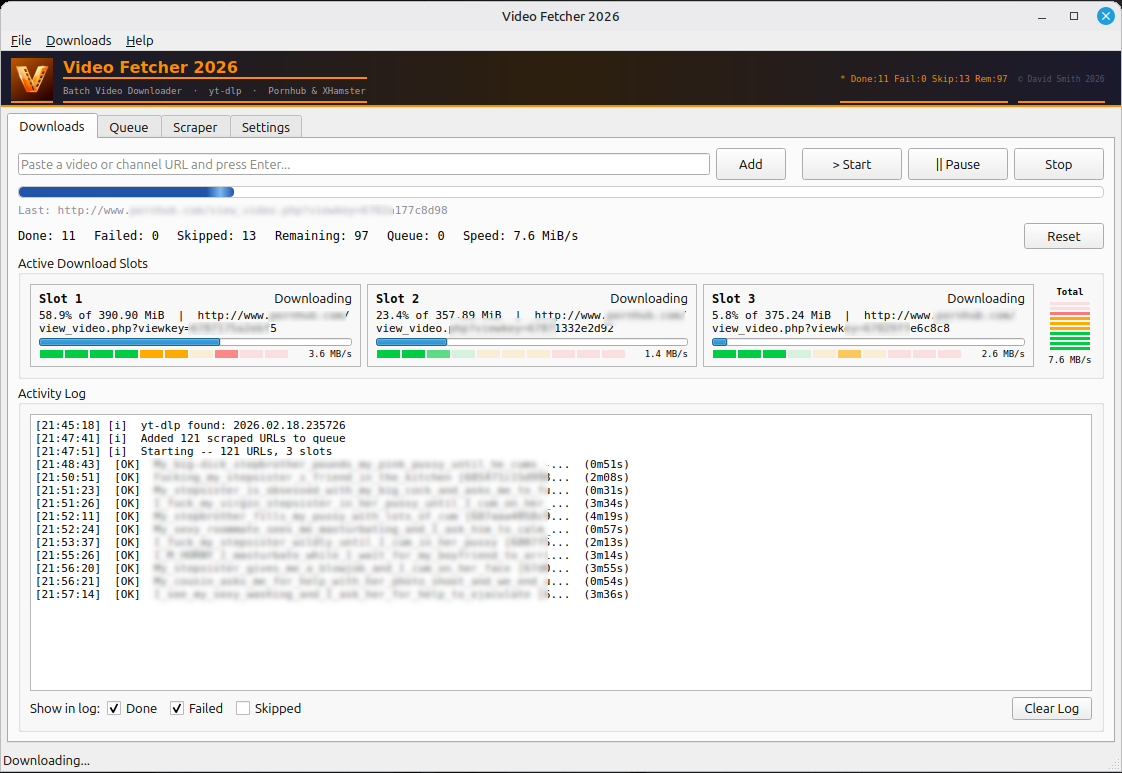
Video Fetcher 2026 — Active Downloads
Supported Platforms
YouTube Vimeo Twitch Twitter / X Reddit TikTok Instagram Facebook Dailymotion + thousands more via yt-dlp

Everything you need.
Nothing you don't.

Built for speed and simplicity. Paste URLs, hit Start, walk away. Video Fetcher handles the rest.

Multi-Slot Downloads
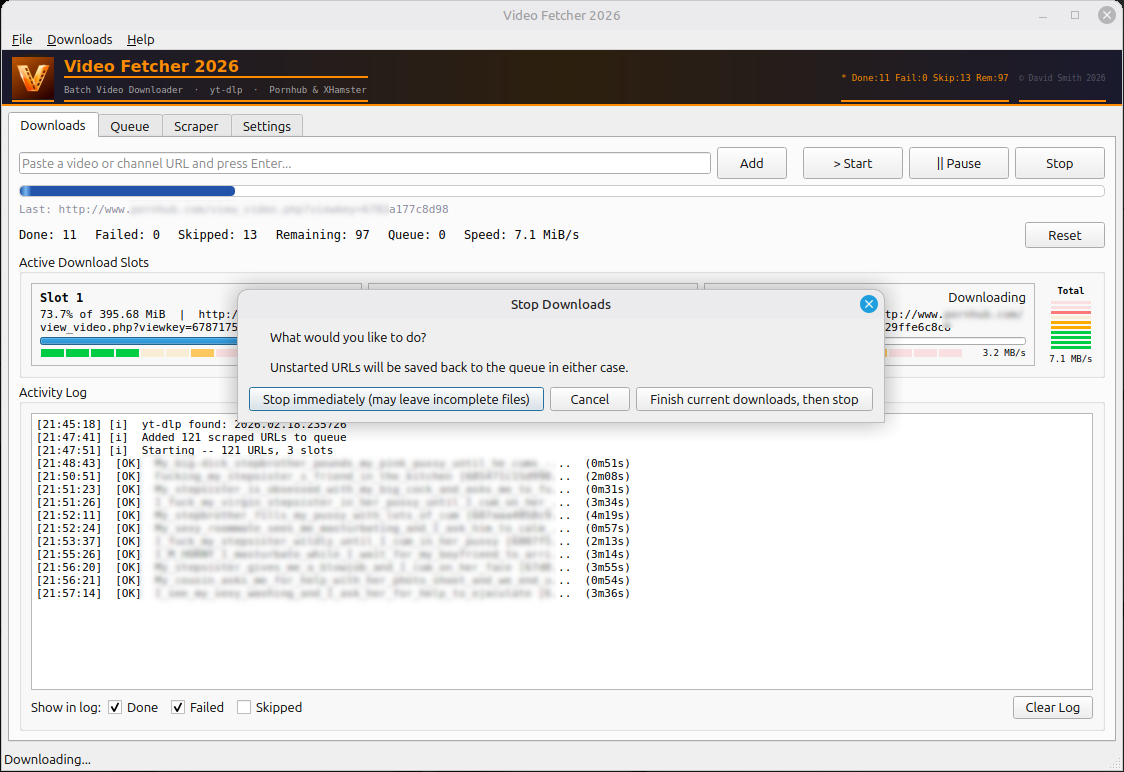
Run up to 5 simultaneous download slots. Maximise your bandwidth and cut through large queues fast.
🔍
Channel & Profile Scraper
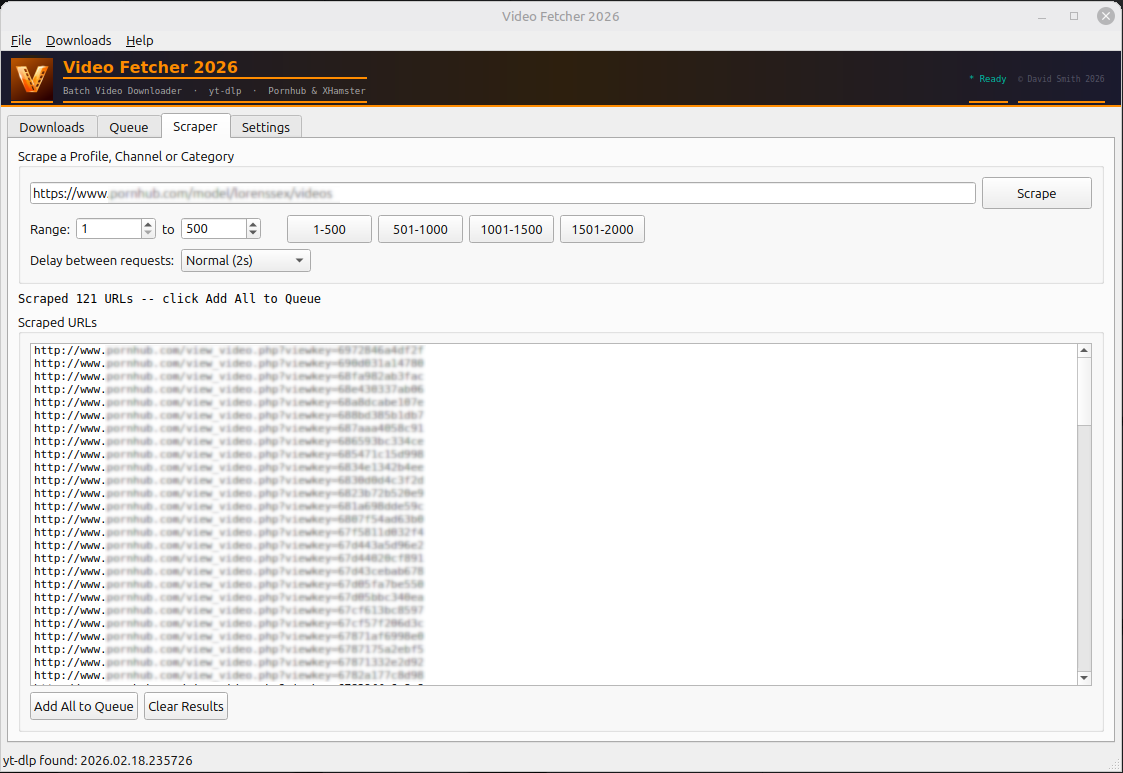
Point it at a channel or profile and scrape hundreds of URLs in one go. Set a range, set a delay, hit Scrape.
📋
Queue Management
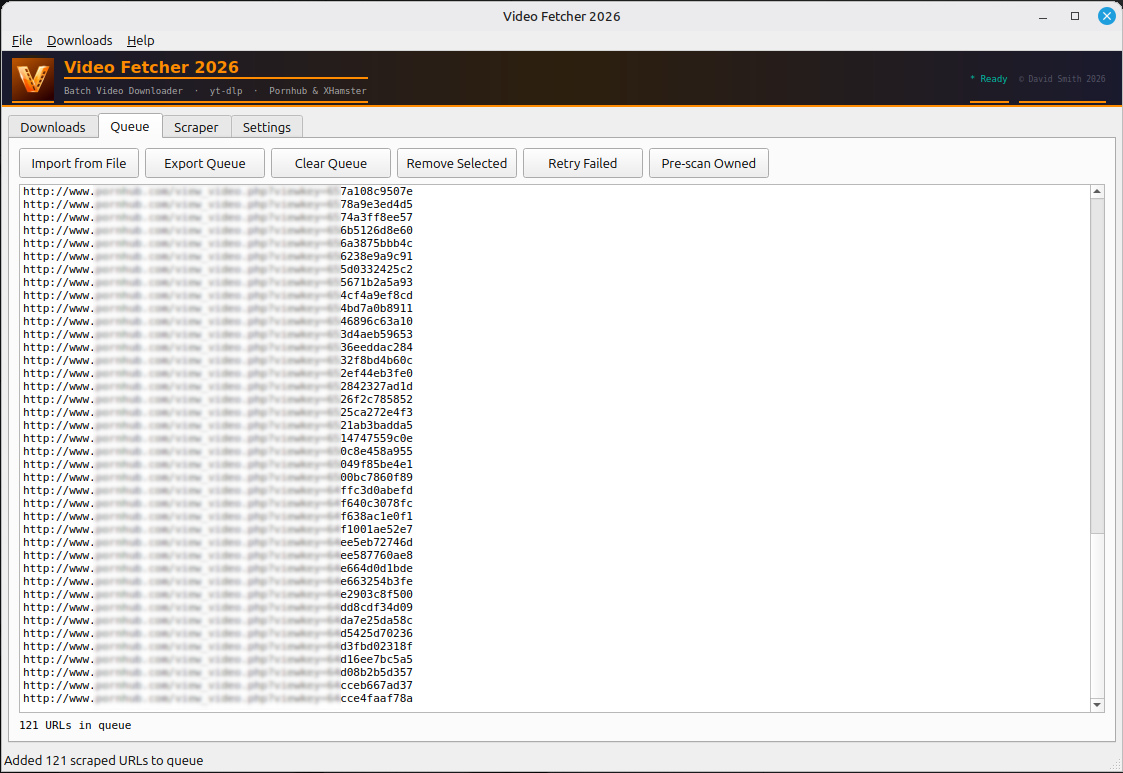
Import, export and manage your download queue. Retry failed items, remove selected, or pre-scan for files you already own.
🗂️
Smart Duplicate Detection
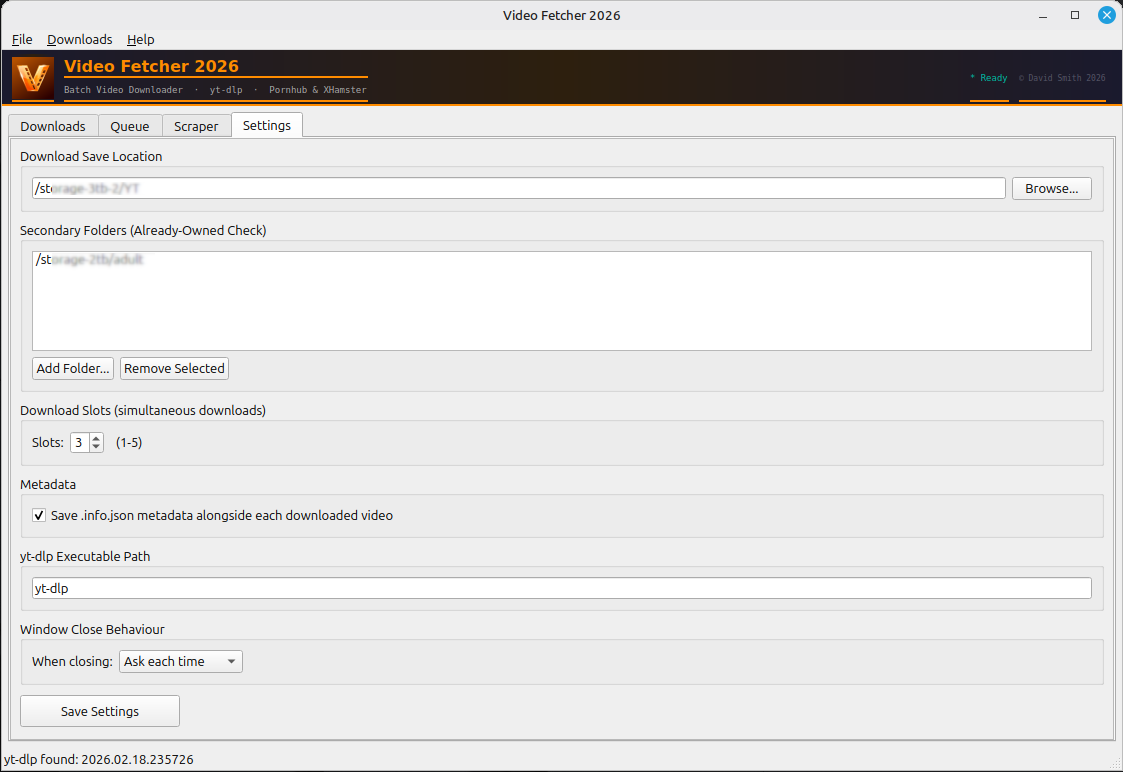
Configure secondary folders so Video Fetcher skips anything you've already downloaded — no duplicates, no wasted space.
📄
Metadata Saving
Automatically saves a .info.json file alongside each video — title, date, tags and more — ready for Stash or MetaFetch.
🛠️
yt-dlp Powered
Built on the industry-standard yt-dlp backend. Thousands of supported sites, regularly updated, battle-tested.

See it in action.

Active Downloads
Downloads Tab — Multi-slot active download with live speed and progress
Scraper
Scraper Tab — Channel/profile scraping with range and delay controls
Queue
Queue Tab — Full queue management, import/export and retry controls
Settings
Settings Tab — Save location, download slots, metadata and yt-dlp path
Stop Dialog
Stop Dialog — Graceful stop options, preserving your queue for next time

Simple by design.

No configuration headaches. Download and run — Video Fetcher is ready in seconds.

1
Download & Run
Download the executable for your platform. No installation required — just run it.
2
Set Your Save Folder
Tell Video Fetcher where to save your downloads. Add secondary folders for duplicate detection.
3
Paste URLs or Scrape
Paste individual video URLs directly, or use the Scraper tab to pull an entire channel or profile into your queue.
4
Hit Start
Video Fetcher fires up your download slots and works through the queue. Monitor speed and progress in real time.
Full How-To Guide →
Scraper in action

Ready to start downloading?

Free. No account. No limits. Just download and run.

⬇ Get Video Fetcher 2026